


For online retailers around the world, the weeks from Black Friday and Cyber Monday to Christmas are the busiest of the year. Traffic can climb far above normal levels, often within hours, and every slow page or failed checkout is lost revenue. In the US alone, shoppers spent $11.8 billion online on Black Friday 2025 and $14.25 billion on Cyber Monday, according to Adobe Analytics holiday shopping data.
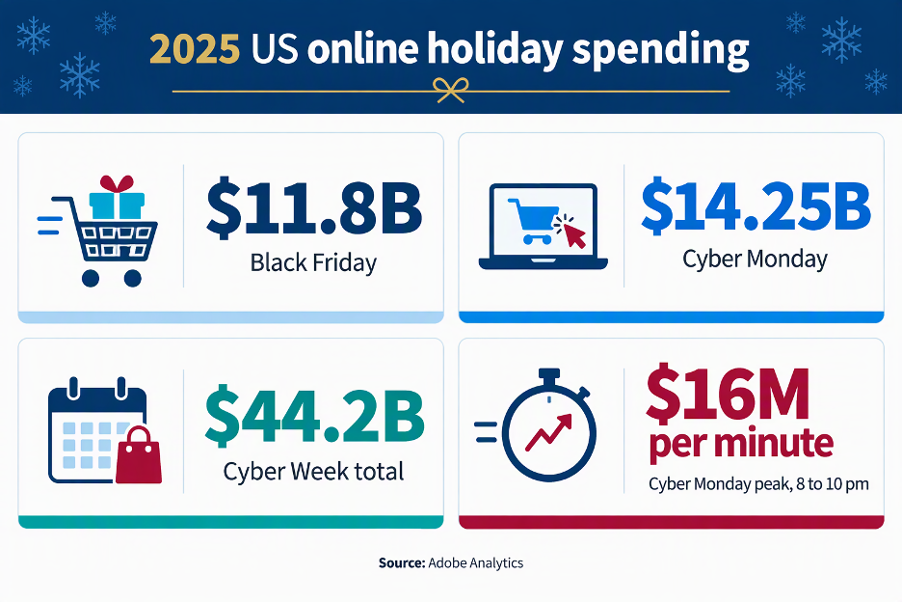
Holiday demand concentrates into a few days and a few peak hours. Source: Adobe Analytics, December 2025.
Why autoscaling alone can’t guarantee holiday peak capacity
Autoscaling handles much of that growth. But autoscaling assumes the instances you ask for are available when you ask. At peak, in a busy region, that is not always true. The Kubernetes documentation on node autoscaling lists a lack of cloud provider capacity among the reasons new nodes can’t always be provisioned.
Guarantee EC2 capacity before the Black Friday rush
That is why many teams buy AWS On-Demand Capacity Reservations (ODCRs) ahead of peak season. An ODCR reserves EC2 capacity for a specific instance type in a specific Availability Zone, so it is there when you need it.
Until now, Ocean customers faced a trade-off. Ocean could not launch nodes into reserved capacity. You could buy the guarantee, or let Ocean automate your cluster, but not both for the same workloads.
What’s new: AWS capacity reservations in Ocean for EKS
Ocean for Amazon EKS can now launch nodes directly into your AWS On-Demand Capacity Reservations. (It also supports AWS Capacity Blocks for ML, for teams reserving GPU capacity.)
It works in three steps:
- Attach your reservation IDs to a dedicated Virtual Node Group (VNG). You can set this up ahead of time, before your reservation window starts.
- Ocean launches nodes into the reserved capacity. When the window opens and your workloads scale, Ocean places nodes on the capacity you’ve already paid for.
- Choose what happens if reserved capacity runs out. Let Ocean fall back to regular on-demand nodes, or have it fail explicitly so you know straight away.
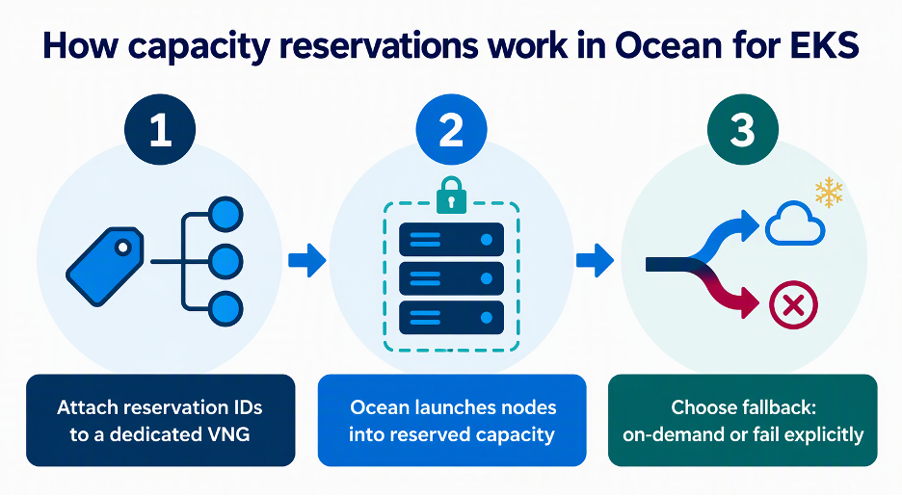
Ocean for EKS launches nodes into the AWS capacity you’ve reserved, with your choice of fallback.
The rest of Ocean keeps working as usual, including Rightsizing and Cost Analysis.
How to prepare your EKS clusters for Black Friday and Christmas
A simple plan for the holiday peak:
- Size your peak. Use last year’s traffic and this year’s forecast to estimate the extra nodes your storefront, checkout and APIs will need.
- Reserve capacity with AWS. Create ODCRs for the instance types and Availability Zones your clusters use, covering your peak dates.
- Link the reservations in Ocean. Add the reservation IDs to a dedicated VNG for your critical workloads, well before the window opens.
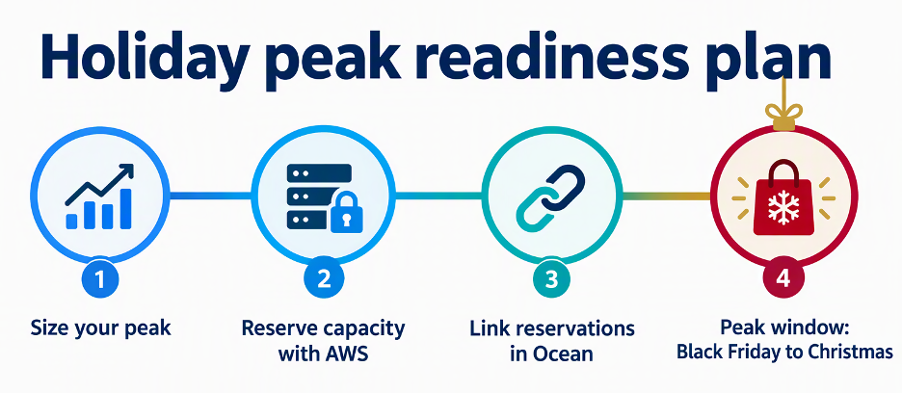
Reserve and link capacity well before the peak window opens.
Get started with capacity reservations in Ocean for EKS
Capacity reservation support is generally available now in Ocean for EKS. Set it up with the capacity reservations documentation, see the Ocean release notes for details, or request a demo to get your clusters ready before Black Friday.
For more on running EKS at scale, see how Ocean keeps workloads online during node replacements with zero-downtime Kubernetes optimization, or explore Flexera’s workload optimization portfolio.