


Data is the new gold standard in the digital economy and organizations are racing to monetize their data assets. Companies are amassing petabytes of structured and unstructured data, sparking a new gold rush—transforming raw data into profitable products that can generate substantial revenue streams. However, these efforts often face technical challenges such as maintaining accessibility, ensuring robust security and achieving scalable cross-cloud solutions. This is exactly where Snowflake comes in which is an extremely powerful platform known for its unique architecture, robust cloud-based data processing, warehousing and analytics capabilities. Beyond its core data cloud platform offerings, Snowflake has completely transformed data monetization with the Snowflake Marketplace, a secure exchange built directly into Snowflake’s Data Cloud. It enables organizations to seamlessly publish, discover and consume live, ready-to-query datasets, Snowflake native applications and AI models through secure data shares, eliminating traditional processes like manually downloading data or setting up complex ETL pipelines, all while maintaining granular governance controls—effectively bridging the gap between data providers and consumers in real-time.
In this article, we will cover the in-depth workings, features and benefits of Snowflake Marketplace, guiding you through the step-by-step process of becoming a provider and the step-by-step process of browsing and accessing the plethora of data products available in the Snowflake Marketplace.
What Is a Snowflake Marketplace?
Snowflake Marketplace is a platform where users can discover, evaluate and purchase a variety of products, including third-party data, data services, Snowflake Native Apps and AI products. It serves as a public data exchange integrated within the Snowflake Data Cloud, facilitating seamless and secure transactions between data providers and consumers.
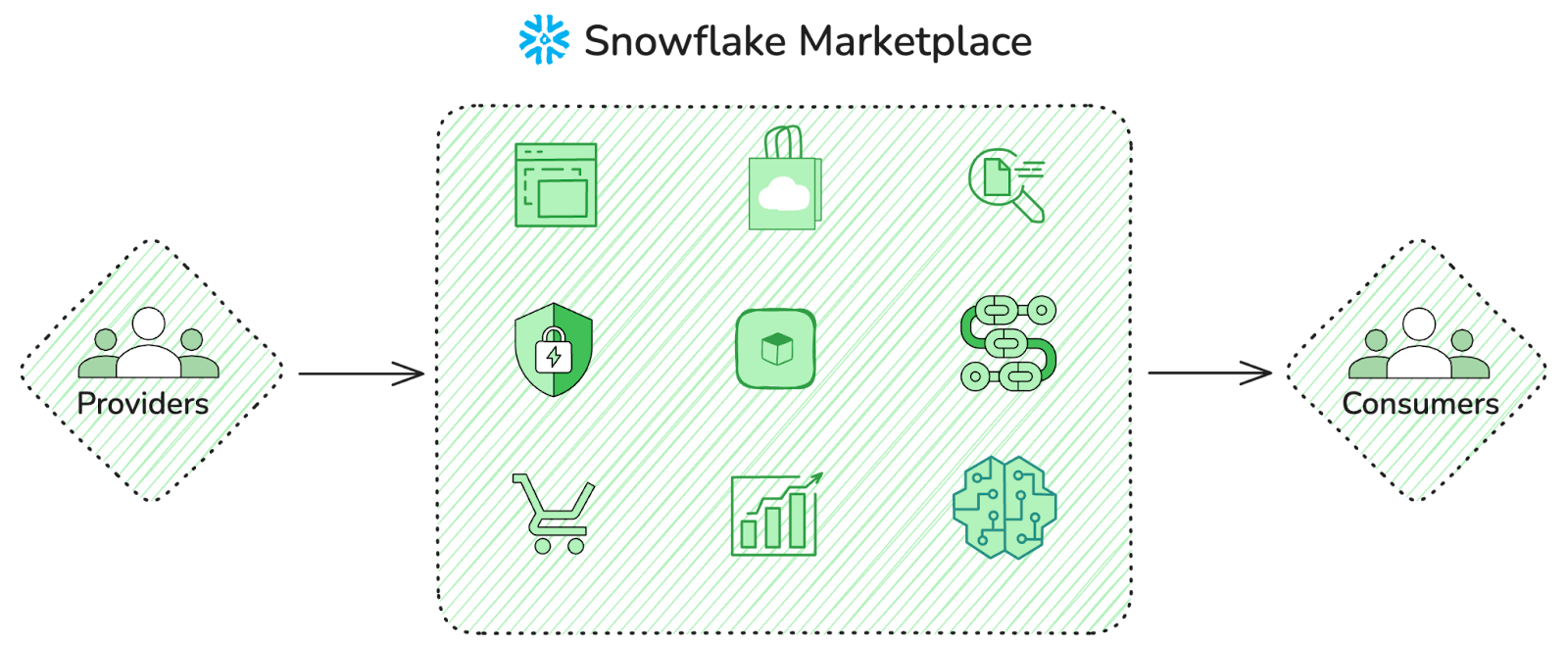
The core mechanism here is Snowflake’s zero-copy sharing architecture. When you access a dataset, no data is physically moved or duplicated. Instead, you get governed, read-only access to the provider’s live data. That means no storage overhead on your side, no pipeline to maintain and no lag from data transfers.
The types of data products you’ll find on the Marketplace include:
- Raw and enriched datasets
- Historical data for forecasting and machine learning
- Real-time data streams (weather, traffic, financial ticks)
- Identity and audience data for analytics
- Snowflake Native Apps
- Pre-built data pipelines and transformations
Snowflake Marketplace leverages Snowflake’s architecture to facilitate the secure sharing of data and applications. Billing is handled through Snowflake’s invoicing infrastructure. Consumer payments flow through Snowflake’s billing system, so purchases appear on your Snowflake Marketplace invoice rather than a separate vendor invoice. For provider payouts, Snowflake uses Stripe as its payment processor.
Snowflake Marketplace is designed for industries such as finance, healthcare, retail, media and technology, where secure and scalable access to high-quality data are essential.
Distinctive features of Snowflake Marketplace
Snowflake Marketplace connects you with live, ready-to-query third-party datasets, data services, native apps and AI products. Here’s a breakdown of its key features and functionality:
1) Wide range of offerings
The Marketplace has grown significantly. As of 2026, Snowflake reported over 3000+ listings from over 700+ providers, and that number is continued to climb. Offerings span AI/ML, finance, healthcare, geospatial analytics and more.
2) Advanced search and filtering
You can filter listings by pricing (free, free-to-try, paid), category, business need, cloud region, geographic coverage, legal terms, provider and time frame. That’s genuinely useful when you’re not sure exactly what you need but know the domain.
3) Zero-copy data sharing
Data is never duplicated when shared through the Marketplace. Consumers query the provider’s live dataset directly via Snowflake’s Secure Data Share mechanism. The moment a provider updates their data, you’re querying the updated version automatically.
4) Native integration—no ETL required
Listings integrate directly into your Snowflake environment. No downloading, no staging and no transformation pipelines to set up. You can query Marketplace data the same way you query your own tables and join it against your internal datasets immediately.
5) Two pricing models for paid listings
Providers can monetize their listings through two pricing structures:
- Flat-fee: A fixed price billed monthly or annually which is essentially a subscription model
- Usage-based: Monthly charges based on consumption, such as per-query charges, custom event billing (for Native Apps) or a monthly access fee with a usage cap
6) Real-time data access
Because there’s no data movement, you’re always querying live data. This matters a lot for time-sensitive use cases like financial modeling, supply chain monitoring, weather-dependent operations.
7) Data quality and governance
Providers can expose sample data so consumers can evaluate quality before purchasing. Snowflake’s built-in governance tools support dynamic data masking, tag-based policies and role-based access control across shared datasets.
8) Marketplace Capacity Drawdown (MCD)
Eligible Snowflake customers can purchase Marketplace listings using their pre-committed Snowflake capacity spend—the Marketplace Capacity Drawdown program. This turns what’s typically a multi-month vendor procurement cycle into a simple budget allocation, which is a significant time-to-value advantage for enterprise buyers.
9) VPS deployment support (preview)
Providers can now create version 2 (V2) listings in Snowflake Marketplace and share them with consumers in Virtual Private Snowflake (VPS) deployments. This is currently in preview and supports specific AWS and Azure region groupings. VPS consumers need to opt in via Snowflake Support before they can access Marketplace listings; the process takes one to three business days.
What Snowflake Marketplace does for providers and consumers
As a provider, you can:
- Publish and monetize listings (datasets, Native Apps, AI products)
- Share live data without creating copies or burdening consumers with integration work
- Skip the cost of building and maintaining APIs or data pipelines for delivery
- Set flat-fee or usage-based pricing (with optional free trials)
- Track consumer engagement and usage through Snowflake’s built-in analytics
- Reach Snowflake’s global customer base without separate distribution infrastructure
- Offer standard listings (instant access) or personalized listings (customized for specific consumers)
As a consumer, you can:
- Find and evaluate third-party datasets and Native Apps without heavy upfront commitment
- Get immediate access to live data products from vendors
- Join external data directly with your internal Snowflake data
- Avoid building or maintaining your own data ingestion pipelines
- Use your existing BI tools. Nothing needs to change in your analytics layer
- Pay through your existing Snowflake capacity commitment via MCD
Getting started with Snowflake Marketplace
Now that we have covered the details of Snowflake Marketplace, the features it provides and what providers and consumers can benefit from Snowflake Marketplace, it’s time to dive into the step-by-step guide on how you can get started with Snowflake Marketplace as a provider and as a consumer. So let’s dive right in!
For data providers
Step-by-step guide to becoming a Snowflake listing provider
Prerequisite:
To become a provider for Snowflake Marketplace, you need to meet these requirements:
- Snowflake Account — You must use a full Snowflake account. Trial accounts can share data with specified consumers but not on the Snowflake Marketplace.
- No Reader Account — Do not use a Reader Account.
- Privileges — You must have the ORGADMIN or ACCOUNTADMIN role or be assigned a role with provider privileges.
- Legal Compliance — Must meet Legal requirements for providers and consumers of listings. Agree to the Snowflake Provider and Consumer Terms.
- U.S. Government Regions — If your account is in a U.S. government region, you must accept the cross-region disclaimer before listing.
- Payment Setup: To offer paid listings, you must configure Stripe to get paid for listings.
Step 1—Login to Snowflake Snowsight
First, start by logging into your Snowflake account at app.snowflake.com.
Step 2—Review and accept the Snowflake Provider and Consumer Terms
Now, switch to the ORGADMIN role. To do this, go to the navigation menu, select the user menu and then choose the ORGADMIN role.
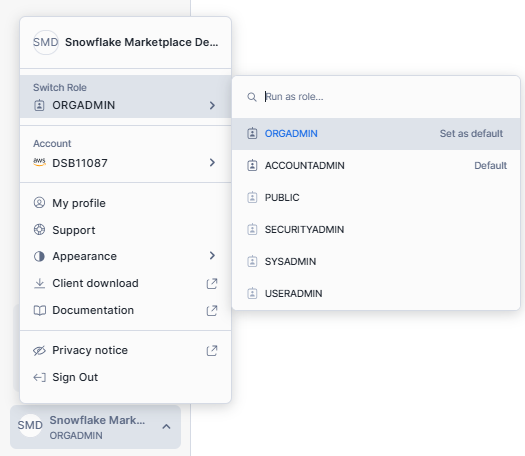
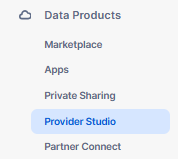
Navigate to the Provider Studio next, review terms as organization administrator (unless previously accepted) and select I accept Snowflake Provider and Consumer Terms. Once you’ve done that, save your new settings.
Step 3—Configure your Provider profile
To configure your provider profile for Snowflake Marketplace, follow these straightforward steps.
First, understand that a provider profile is necessary to offer listings to consumers, either privately or on the Snowflake Marketplace. You don’t need one for free private listings. You only need to create a provider profile once, but you can create multiple profiles for a single account.
Before you start, someone in your Snowflake account must review and accept the Snowflake Provider and Consumer Terms.
Note: Above step is not required for free private listings if you’ve accepted the Snowflake Customer-Controlled Data Sharing Functionality Terms.
To set up your provider profile, start by signing in to Snowsight using the ACCOUNTADMIN role or a role with the CREATE DATA EXCHANGE LISTING privilege.
USE ROLE ACCOUNTADMIN;
GRANT CREATE DATA EXCHANGE LISTING ON ACCOUNT TO ROLE customrole;
GRANT CREATE DATA EXCHANGE LISTING ON ACCOUNT TO ROLE customrole WITH GRANT OPTION;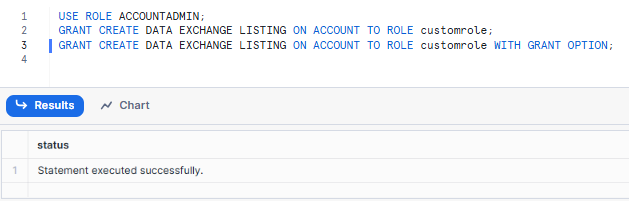
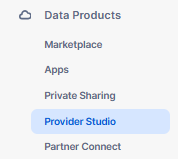
Next, navigate to Provider Studio by selecting Data Products ➤ Provider Studio from the navigation menu.
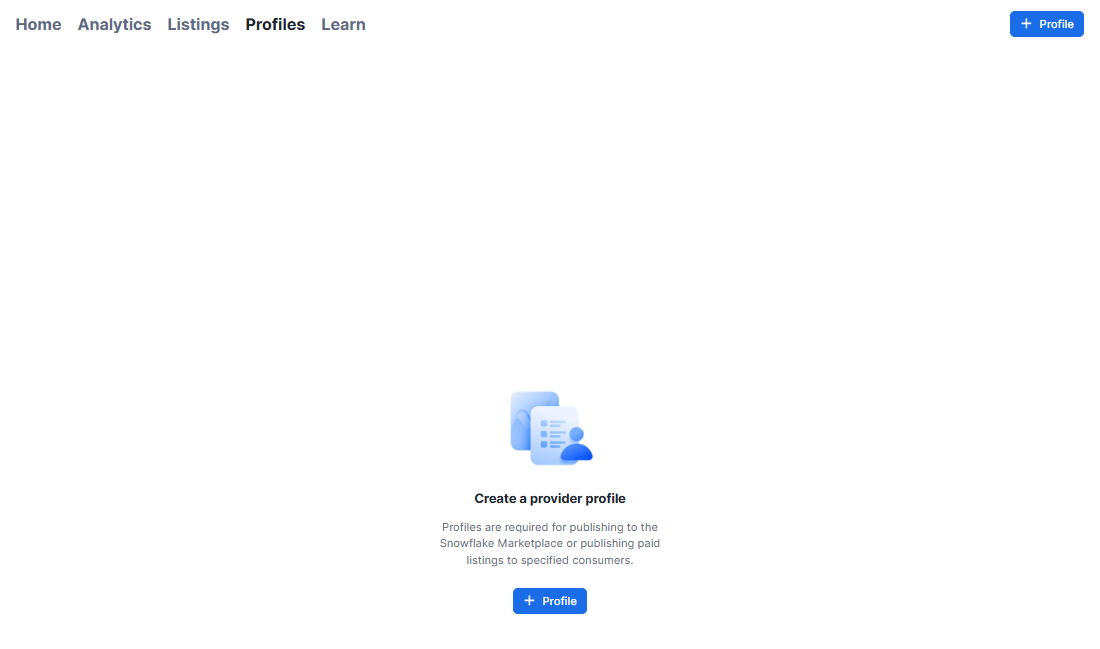
Once in Provider Studio, select Profiles to access the profiles section. To create a new profile, click on + Profile, which will open a dialog box.
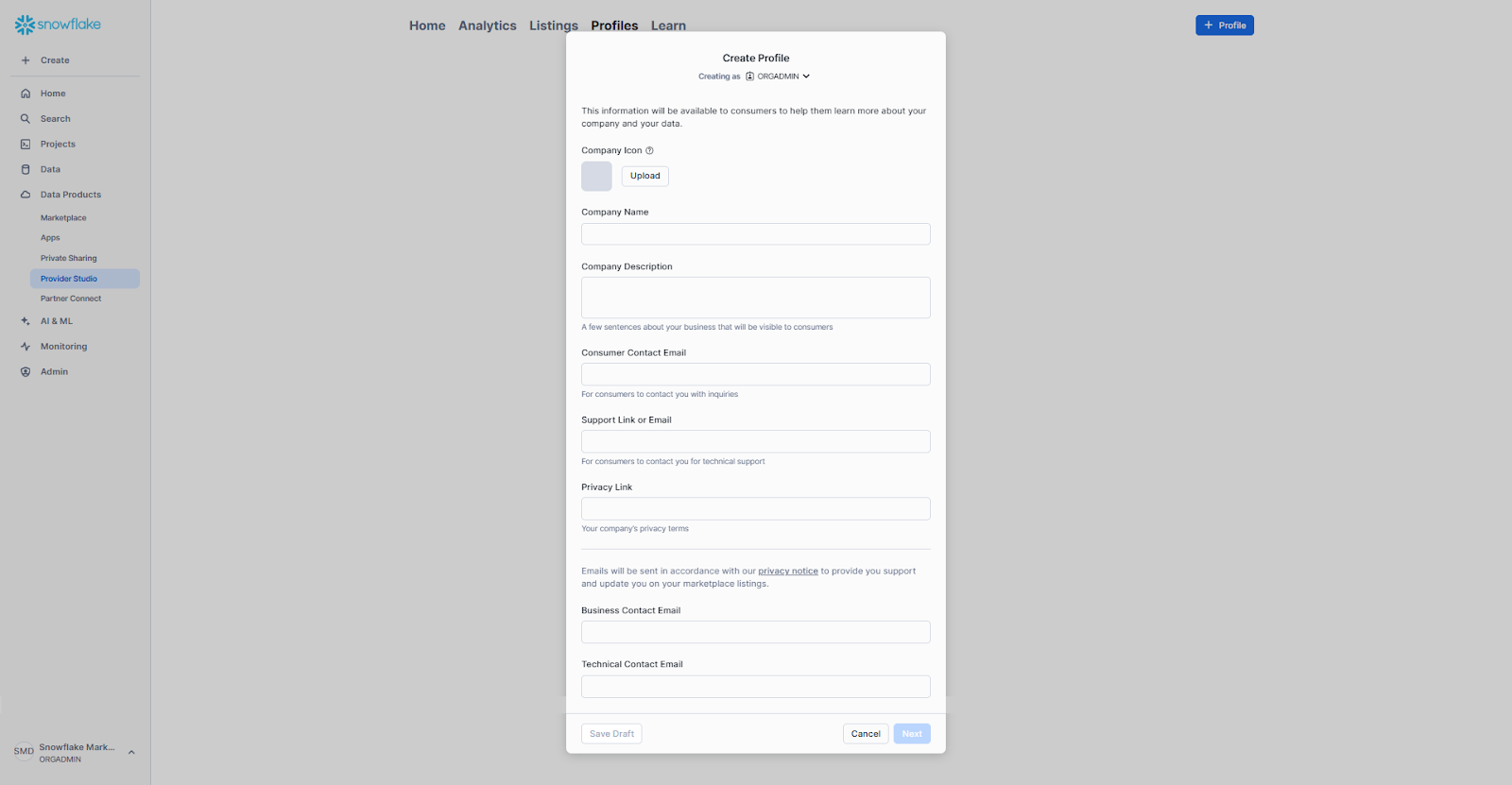
Fill in all the required fields in the Create Profile dialog box. After completing the fields, select Next to verify your profile details.
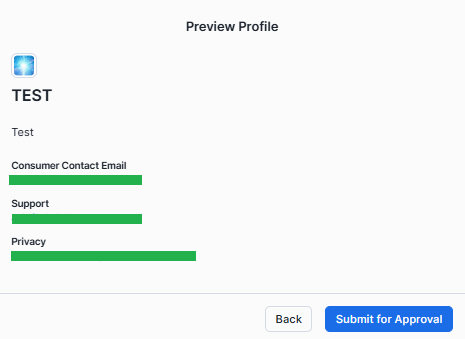
Finally, choose Submit for Approval to send your profile for review, or click Save Draft if you need more time to review your details before submitting.
Step 4—Set up Paid listings payouts
To publish paid listings to consumers privately or on the Snowflake Marketplace, follow these steps:
First, confirm that your account is eligible to provide paid listings.
Note: Before creating a paid listing for the Snowflake Marketplace, contact your business development partner at Snowflake. If you don’t have one, submit a case with Marketplace Operations, as this step is required for listing approval.
Next, set up a payout method to receive payments for your listings. You must create a Stripe Express account associated with Snowflake; existing Stripe accounts cannot be used. Stripe is the payment processing system used by Snowflake to handle payments from consumers who purchase your paid listings. Payments are disbursed to your Stripe account after Stripe receives payment from the consumer. When setting up your Stripe Express account, provide your business information for verification.
To set up your payout method with Stripe, sign in to Snowsight and select Admin ➤ Billing & Terms.
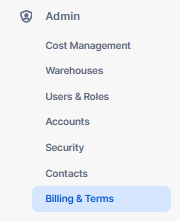
In the Snowflake Marketplace section, next to Payout Method, select Set up Stripe account. Complete the required information to create and set up your Stripe account. Payouts are made in the official currency of the country specified in your Snowflake billing entity.
Note: To receive payouts in USD, your Snowflake billing address must be in the United States.
Also note that before creating a paid listing for the public Snowflake Marketplace, contact your Snowflake business development partner. If you don’t have one, submit a case with Marketplace Operations. This step is required for listing approval on the public Marketplace.
Step-by-step guide to creating and publishing a listing on Snowflake Marketplace
Now that we have covered how to create a provider profile on Snowflake Marketplace, let’s get into the main part of the article and learn how to create and publish a Data products listing on Snowflake Marketplace step by step.
Prerequisite:
To create a listing on the Snowflake Marketplace, you need to meet several prerequisites:
- Accept Terms & Conditions — Agree to the Snowflake Provider and Consumer Terms for Marketplace listings. For free private listings, accept the Snowflake Customer-Controlled Data Sharing Functionality Terms instead.
- Review Policies — Familiarize yourself with Snowflake’s Provider Policies.
- Provider Profile — Create a provider profile if you want to list paid products or publish on the Snowflake Marketplace (follow the above step by step guide to create provider profile).
- Payment Setup — Configure your Stripe account to charge for your data products.
- Provider Privileges — Use a role with the necessary provider permissions.
- Prepare Data — Organize and format your data for listing.
Step 1—Log in to Snowflake Snowsight
First, start by logging into your Snowflake’s account.
Step 2—Create a free private listing on the Snowflake Marketplace
To create a free private listing on Snowflake Marketplace, start by opening Provider Studio. To do this, navigate to Data Products ➤ Provider Studio.
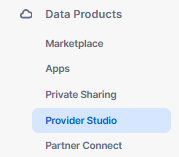
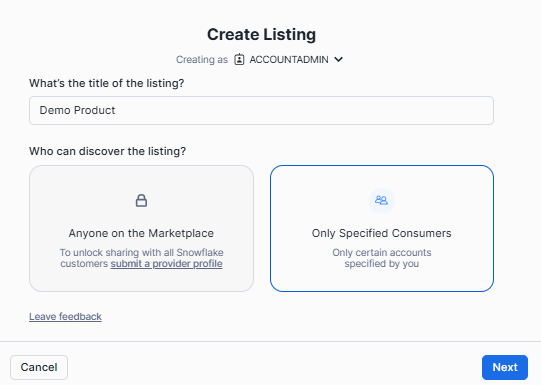
Click on + Listing to open the Create Listing window. Enter a name for your listing and, in the Who can discover the listing section, select Only specified consumers.
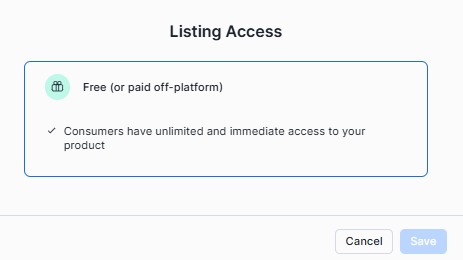
For the access type, choose Free in the Listing Access section, then click Save.
Attach the necessary objects to your listing by clicking + Select. If you choose database objects, Snowflake will create a secure share with those objects, which you can rename. If you select an existing secure share, its name will be displayed. Provide a description for your listing to give consumers an idea of what it includes.
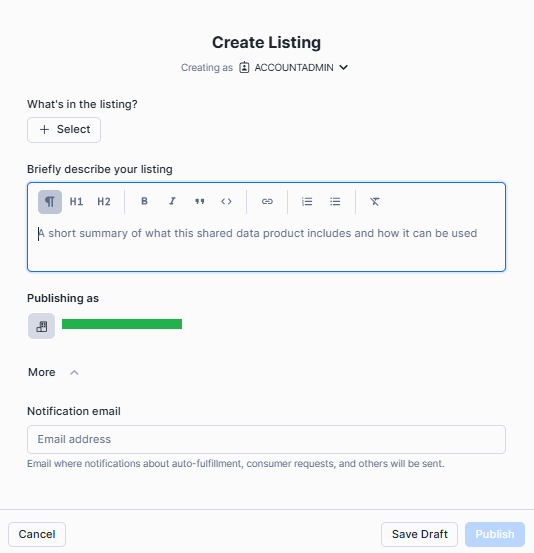
If you have multiple provider profiles, you can select which one to use for publishing; otherwise, your organization and account name will be used by default.
Now, in the Add consumer accounts section, input the organization and account names of the consumers you want to share the listing with.

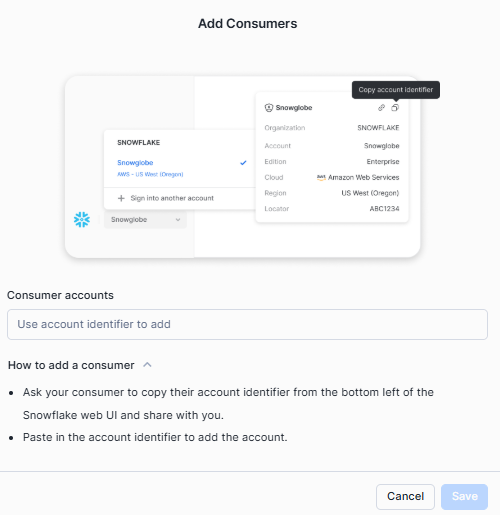
If any of these consumers are in a different region, you will need to configure auto-fulfillment to replicate the data. Set the replication interval and, if you don’t have a default warehouse, select one for auto-fulfillment. Finally, click Publish to make the listing available to the selected consumers, or Save Draft to save your work for later.
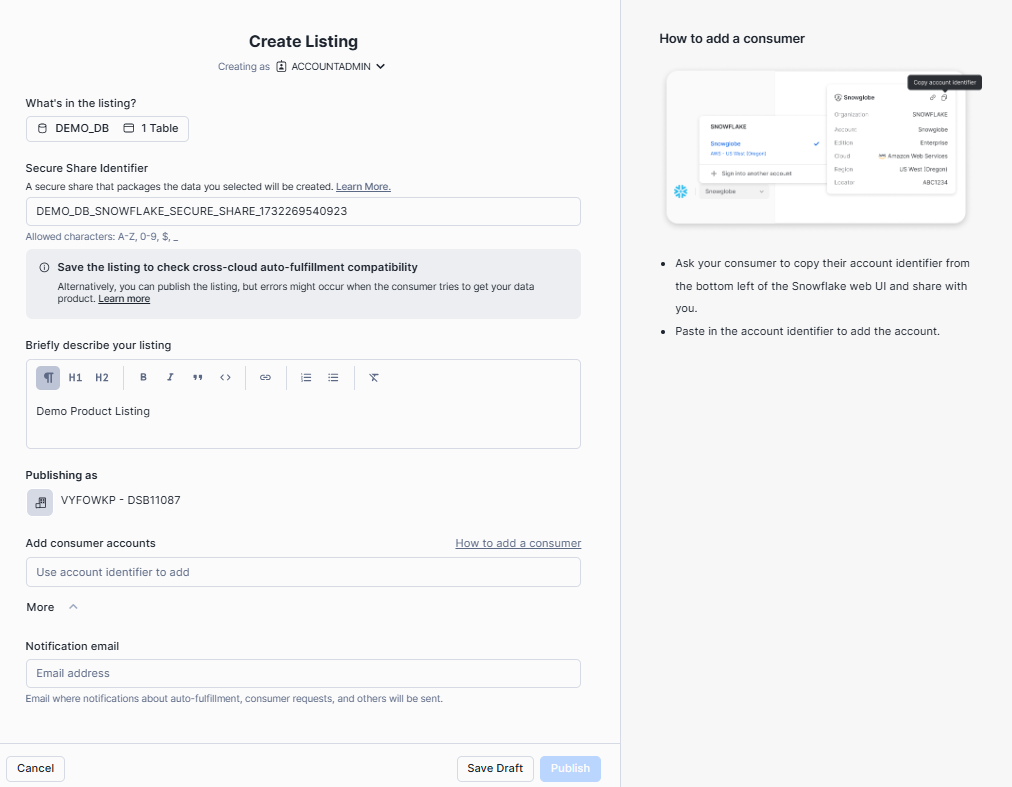
Step 3—Create a paid private listing on the Snowflake Marketplace
The process mirrors the free private listing, with one difference. After naming your listing and selecting Only specified consumers, choose Paid under the access type section. Click Next—a draft listing is created at this point.
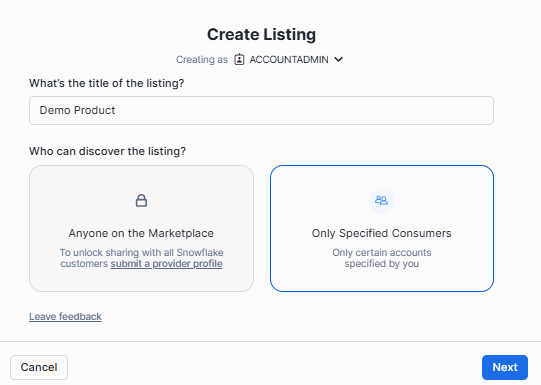
From the draft, configure your pricing plan. Snowflake supports two pricing models:
- Flat-fee: A set price billed on a monthly or annual cycle
- Usage-based: Monthly charges based on actual consumption—per-query charges, custom event billing or a combination with a monthly access fee
You can also configure a free trial as part of the listing. Trials are required for listings published publicly on the Marketplace.
Once pricing and all other required details are configured, publish the listing to share it with the specified consumer accounts.
Step 4—Create a public listing on Snowflake Marketplace
Now that we’ve reached the core of this guide, let’s walk through how to make your datasets, Snowflake-native apps, or AI products available to the public. Start by contacting your Snowflake business development partner to approve your paid listing. If you don’t have a business development partner, you’ll need to submit a case with Marketplace Operations. Before proceeding, verify that your role has the required privileges to create a listing.
Once everything is in place, log in to Snowsight and go to Data Products ➤ Provider Studio from the menu. Select + Listing to open the Create Listing window. Here, name your listing and set its visibility. To make the listing publicly discoverable, choose Anyone on the Marketplace under the discovery settings. Next, decide how consumers will access your data product: choose Free for no-cost access, Limited Trial to offer a trial version with full access upon request, or Paid if you plan to charge consumers directly.
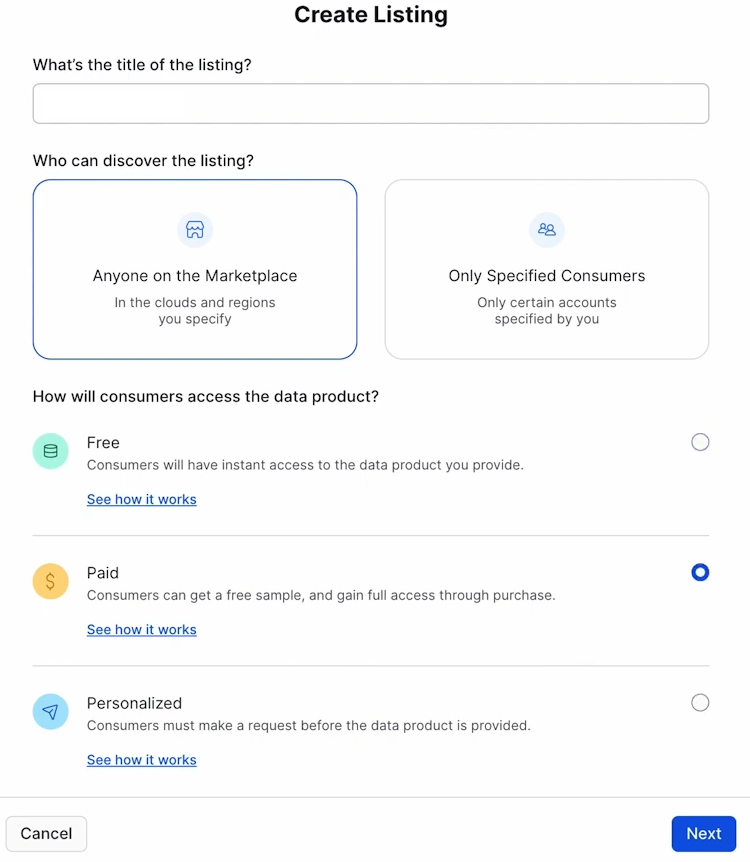
After setting the access type, click Next to create a draft listing. Finally, fine-tune and configure the draft by adding all required details to prepare it for publication on the Snowflake Marketplace.
Step 5—Publish a listing to specific consumers (private)
If you want to share a private listing with specific consumer accounts, you’ll need to publish it directly to those accounts. Keep in mind that private listings won’t appear on the Snowflake Marketplace.
To do so, navigate to Provider Studio from the menu. Click on the Listings tab, then choose the draft listing you want to share. Once selected, click Publish to make the listing available to the designated accounts.
This process lets you control access to your data product while keeping it private from the general Snowflake Marketplace audience.
Step 6—Submit a public listing for approval
Every listing published to the public Snowflake Marketplace goes through a review and approval process. Before submitting, confirm:
- The listing configuration is complete
- You have the ACCOUNTADMIN role or OWNERSHIP privilege for the data product
- All sample SQL queries in the listing pass validation
To submit, navigate to Data Products > Provider Studio, open the Listings tab, select your draft listing and click Submit for Approval.
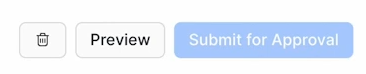
Snowflake will review the listing and return either an Approved or Denied status. If denied, review the feedback, update the listing and resubmit.
After approval, go to the Listings tab, select the approved listing and click Publish. Once published, the listing is visible in all current and future Snowflake Marketplace regions. You can control availability by configuring region settings in your cross-cloud auto-fulfillment settings. You can also generate referral links to your published listing for direct access.
Note: If you update an already-published listing in a way that requires Snowflake’s approval, the changes will go live automatically after approval; unless you disable automatic publishing first.
For data consumer
Step-by-step guide for accessing and navigating the Snowflake Marketplace
Now that we have covered the full in-depth guide on how you, as a provider, can create and publish a listing on the Snowflake Marketplace, let’s dive into the full in-depth tutorial on how you can access and navigate data products on the Snowflake Marketplace. So without further ado, let’s get started.
Step 1—Log in to Snowsight
First and foremost, you have to log in to Snowflake and head over to the main Snowsight Dashboard.
Now, access the Snowflake Marketplace from the main dashboard. To do so, select Data Products and the Select Snowflake Marketplace.
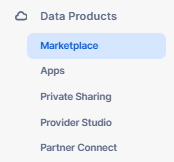
Step 3—Explore the Snowflake Marketplace
Snowflake Marketplace offers a vast array of data products for browsing and selection. Start by exploring the Discover section, where you’ll find newly added products or recommendations curated by Snowflake.
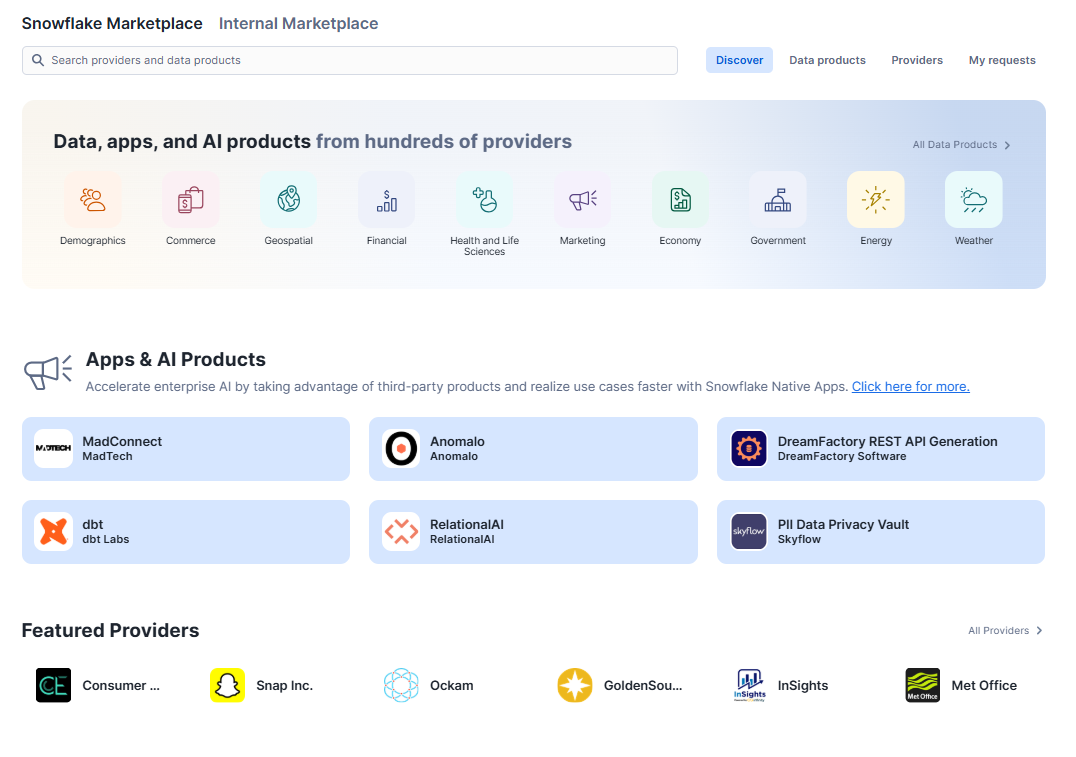
Alternatively, navigate to the Data Products section, where you can refine your search using detailed filters such as:
- Availability: Whether a product is ready for immediate use
- Pricing: Free, free-to-try or paid
- Categories: By industry or use case
- Business needs: Operational or strategic goals
- Cloud region availability: Compatibility with your cloud setup
- Geographic coverage: Region-specific data
- Legal terms: Compliance alignment
- Provider: Filter for specific vendors
- Time frame: Data relevant to a specific period
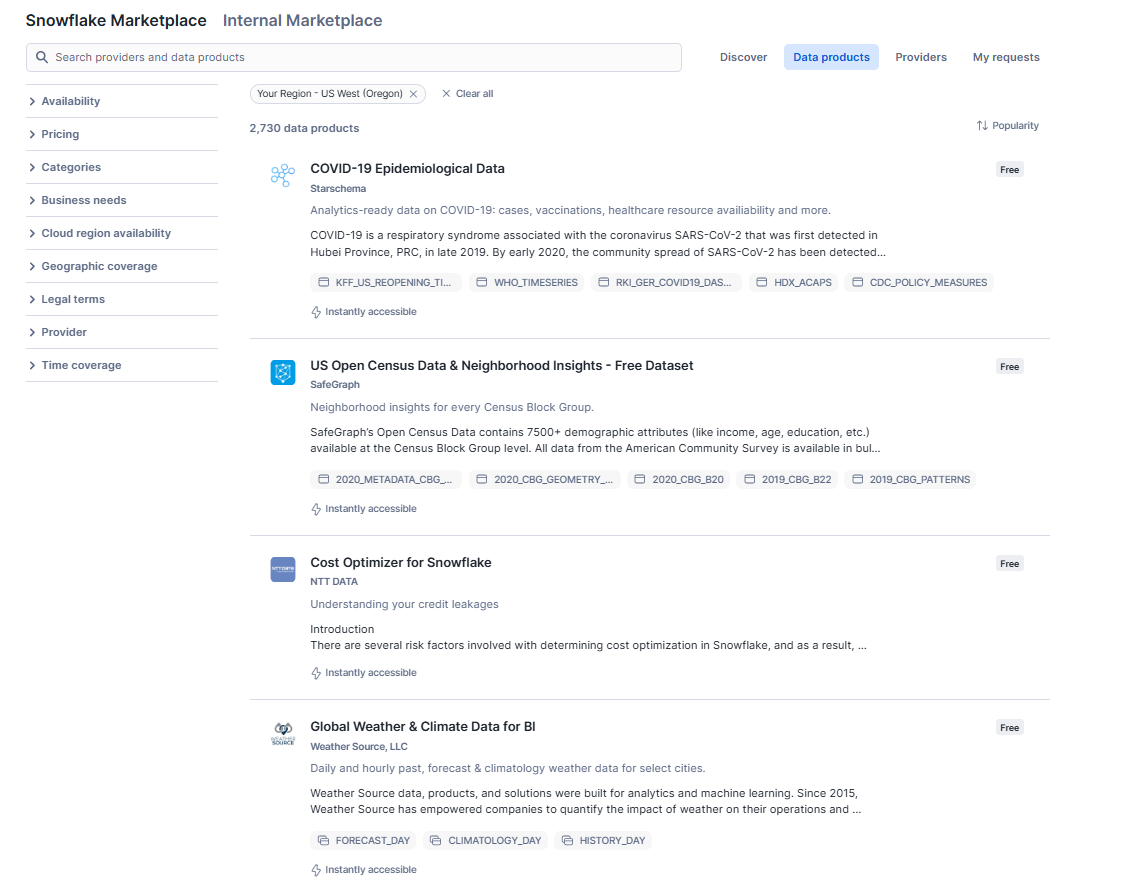
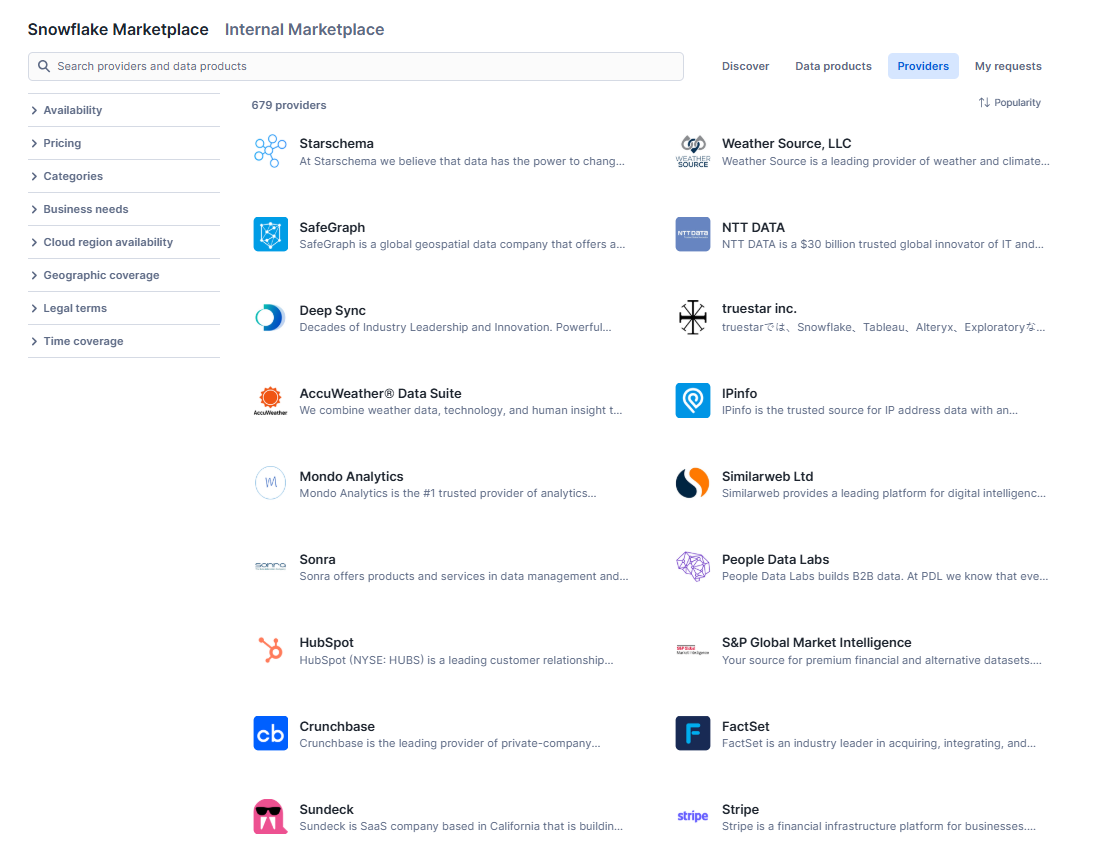
You can also browse by Provider to find products from vendors you already know and trust.
Step 4—Access or purchase Marketplace listings
Accessing a private listing on Snowflake Marketplace
To access a private listing shared with you, you need the ACCOUNTADMIN role or a role with CREATE DATABASE and IMPORT SHARE privileges.
Start by signing in to Snowsight and navigating to Data Products ➤ Private Sharing.
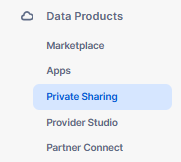
On the Shared with You page, look for the listing under Private Marketplace Listings. Once you locate the listing, click Get to access it. These steps allow you to retrieve private Marketplace listings shared directly with your account.

Accessing a free or paid public listing
To access Marketplace listings on the Snowflake Marketplace, you must have the ACCOUNTADMIN role or a role with CREATE DATABASE and IMPORT SHARE privileges (same as above). Both free and paid Marketplace listings are easily available for access.
Start by signing in to Snowsight and navigating to Data Products ➤ Marketplace.
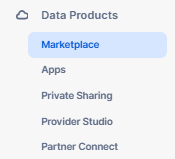
Search or browse for the listing you want and click Get to access it if it’s already available in your region.
If the listing isn’t available in your region, select Request to replicate it. You can optionally specify a database name for the listing’s data and assign roles to grant access to the database. After completing these steps, click Get to confirm. A dialog will appear—select Open to view an example query in a Snowsight worksheet or choose Done to finish.
Accessing a paid listing
To access paid Marketplace listings on the Snowflake Marketplace or through private sharing, you must first configure your account for payments. This involves having the ACCOUNTADMIN role or another role with CREATE DATABASE, IMPORT SHARE and PURCHASE DATA EXCHANGE LISTING privileges. Additionally, your organization’s administrator must have accepted the Provider and Consumer Terms.
Once your payment setup is complete, sign in to Snowsight and locate the paid listing you want. Click Get, then select the Paid option to review pricing details. Afterward, click Next. You can optionally specify a purchase order number for billing, assign a database name for the data and grant roles access to the database. If you tried the listing, Snowflake will use the database name you specified during the trial.
If you’re eligible to use Marketplace Capacity Drawdown, that payment method is selected by default. You can disable it to pay through other means, such as a credit card, invoice, ACH, or wire transfer. Once ready, click Buy to complete the purchase.
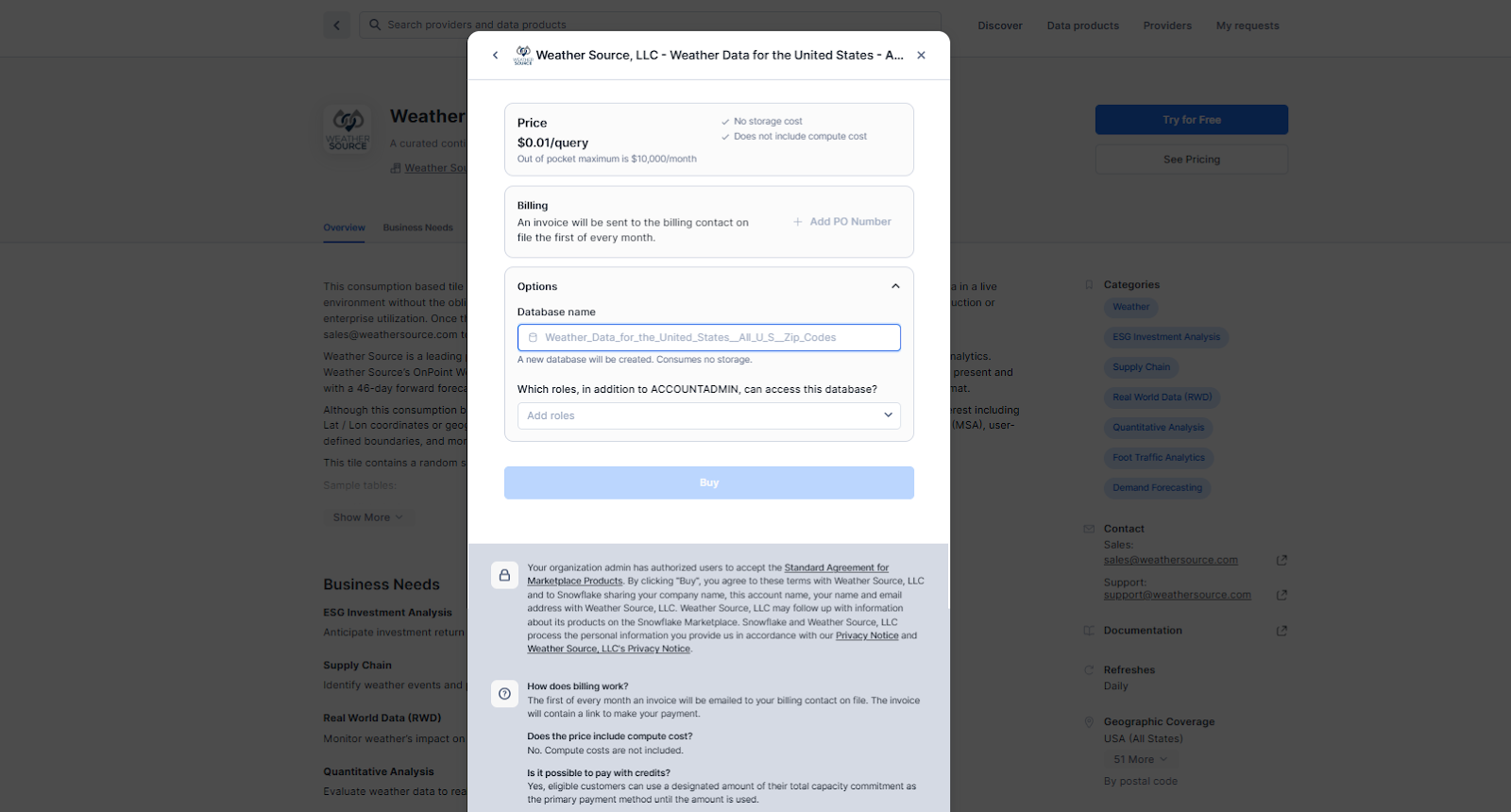
In the confirmation dialog, select Open to view an example query in a new worksheet or click Done to finish. If you are not yet eligible for Capacity Drawdown payments, Snowflake will indicate when your balance can start covering purchases.
Step 5—Install and query a dataset: a practical example
To demonstrate the process of installing and managing datasets from Snowflake Marketplace, we’ll use the COVID-19 Epidemiological Data by Starschema as our example.
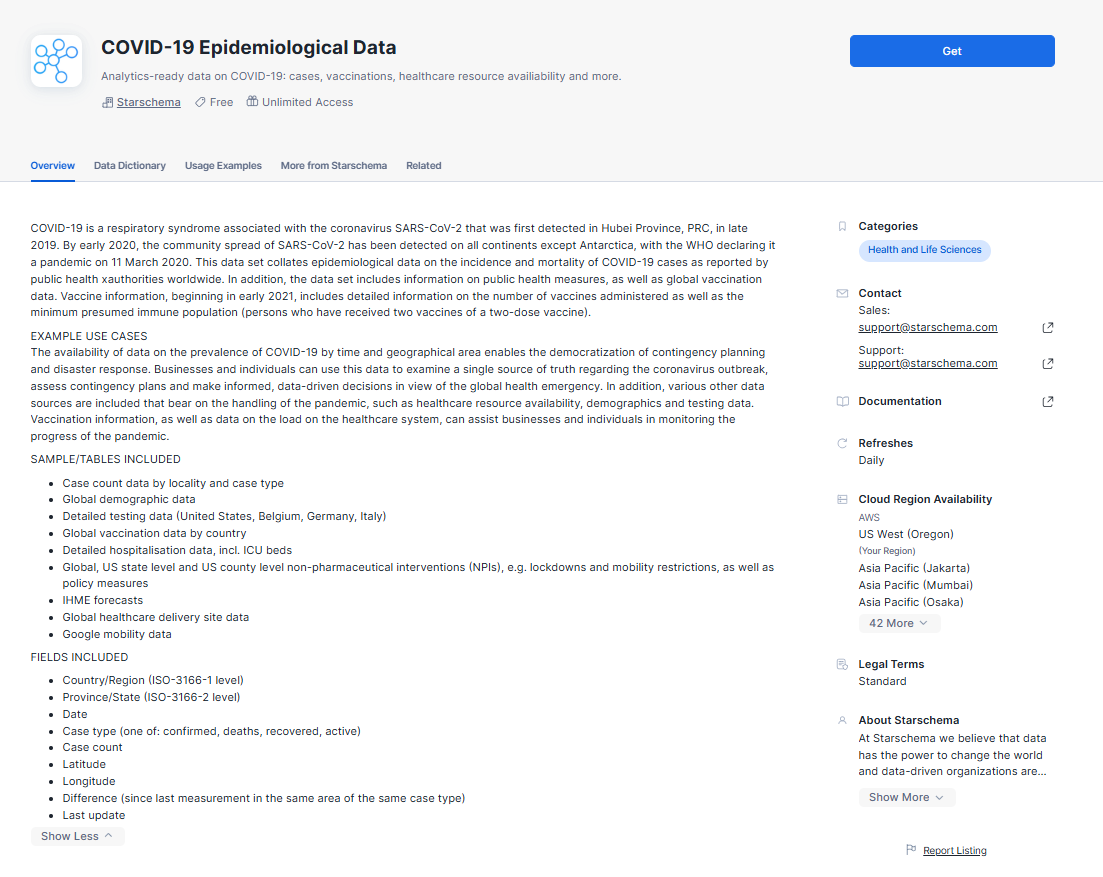
Start by logging into your Snowflake account and navigating to the Marketplace via the top navigation bar. In the Marketplace, you can either use the search functionality to find “COVID-19 Epidemiological Data” or browse through the Healthcare category. Once you locate the dataset, you’ll see a detailed overview of it.
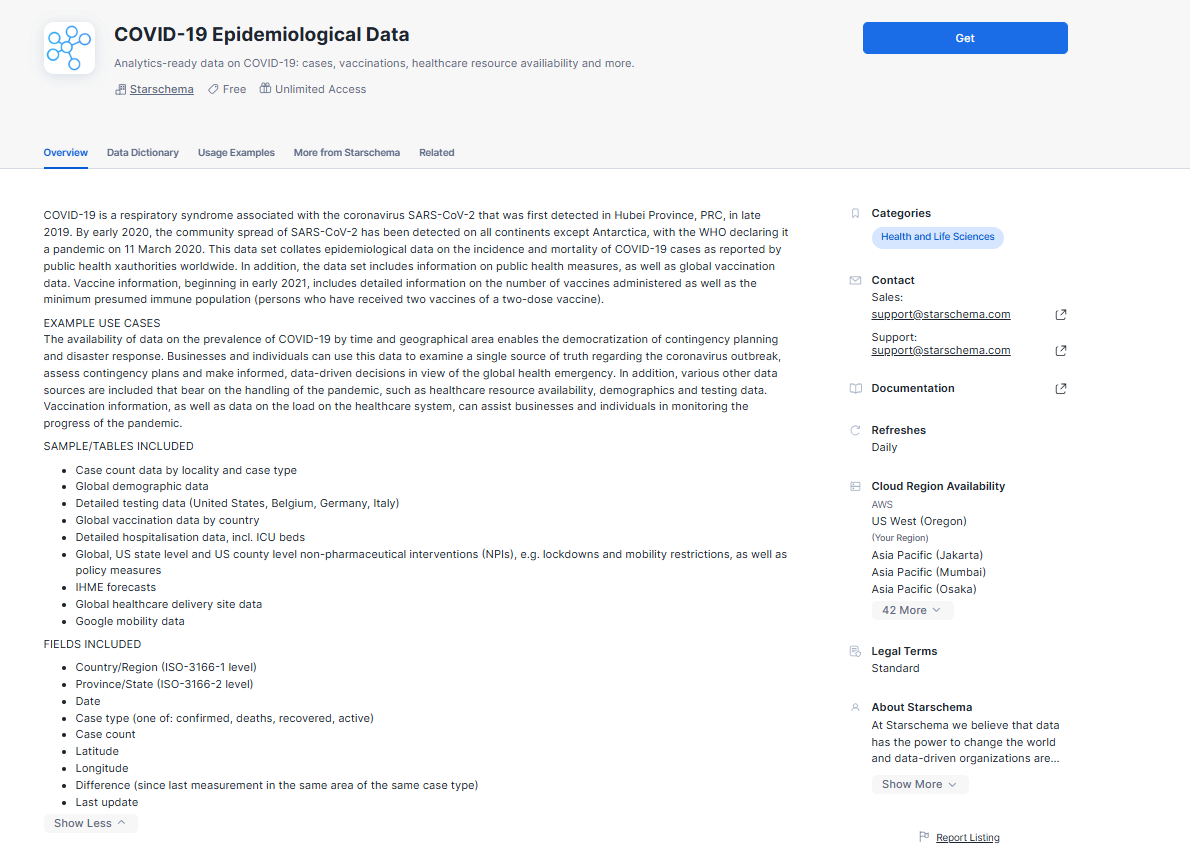
Click the Get button in the top-right corner. Then, grant access to the role you want to provide privileges to. Once that is done, wait for the installation to complete and you can then query the data.
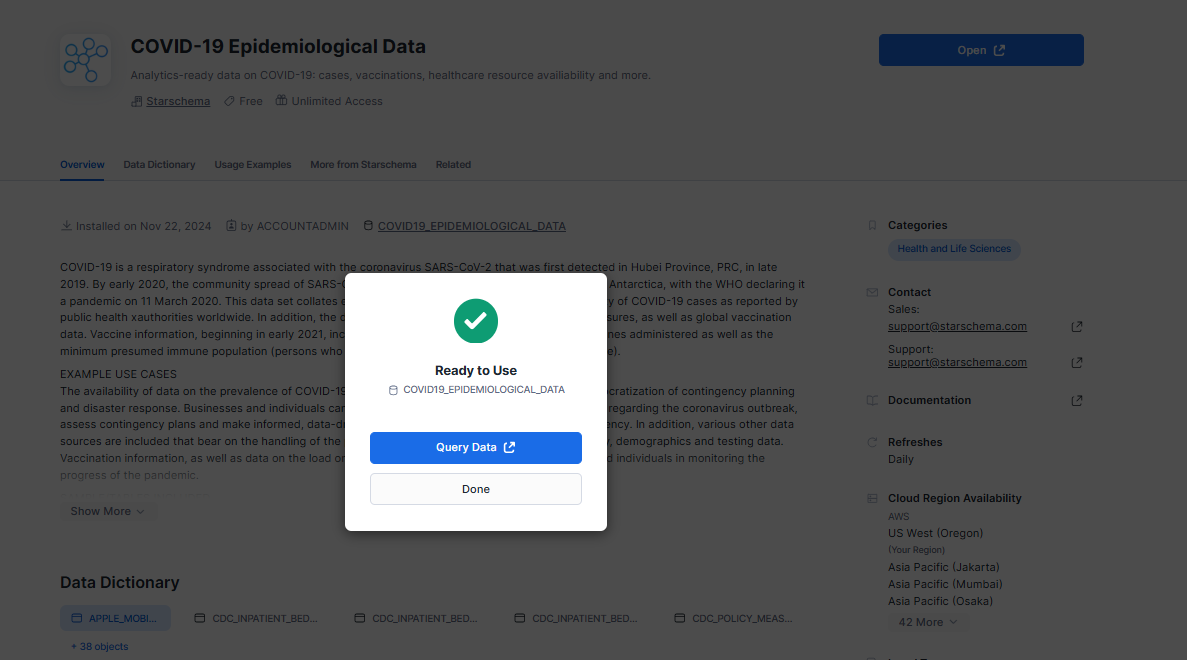
Now lets do some basic data exploration. Lets calculate the total number of cases by country, aggregated over time, to do so:
SELECT
	COUNTRY_REGION,
	DATE,
	CASES,
	DEATHS
FROM COVID_DATA.PUBLIC.ECDC_GLOBAL
WHERE DATE >= DATEADD(days, -30, CURRENT_DATE())
ORDER BY DATE DESC, CASES DESC;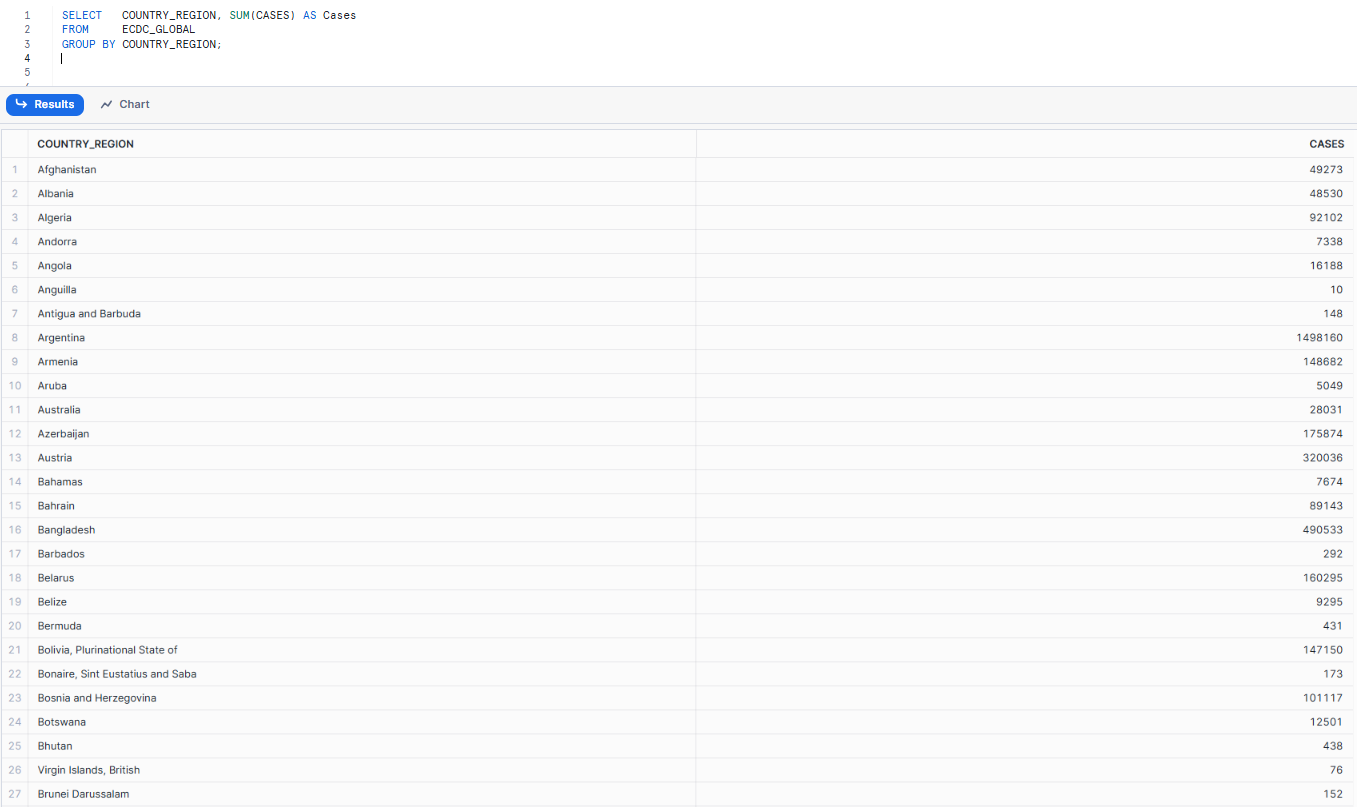
As you can see, just like that, you have successfully installed and used datasets from Snowflake Marketplace, directly integrating them into the Snowflake platform. You can perform the same steps with various other data products, such as native applications, AI products and more. Try it out for yourself!
Note on private connectivity: If you are using private connectivity to access the Snowflake Marketplace through Snowsight, you need to create a CNAME record first. The process for this is detailed in the Snowflake documentation for AWS PrivateLink & Snowflake, Azure Private Link & Snowflake and Google Private Service Connect & Snowflake.
What’s current and what’s coming in Snowflake Marketplace
Snowflake Marketplace is growing quickly. New features are coming to enhance data sharing, security, integration and usability. Let’s explore some of these upcoming improvements.
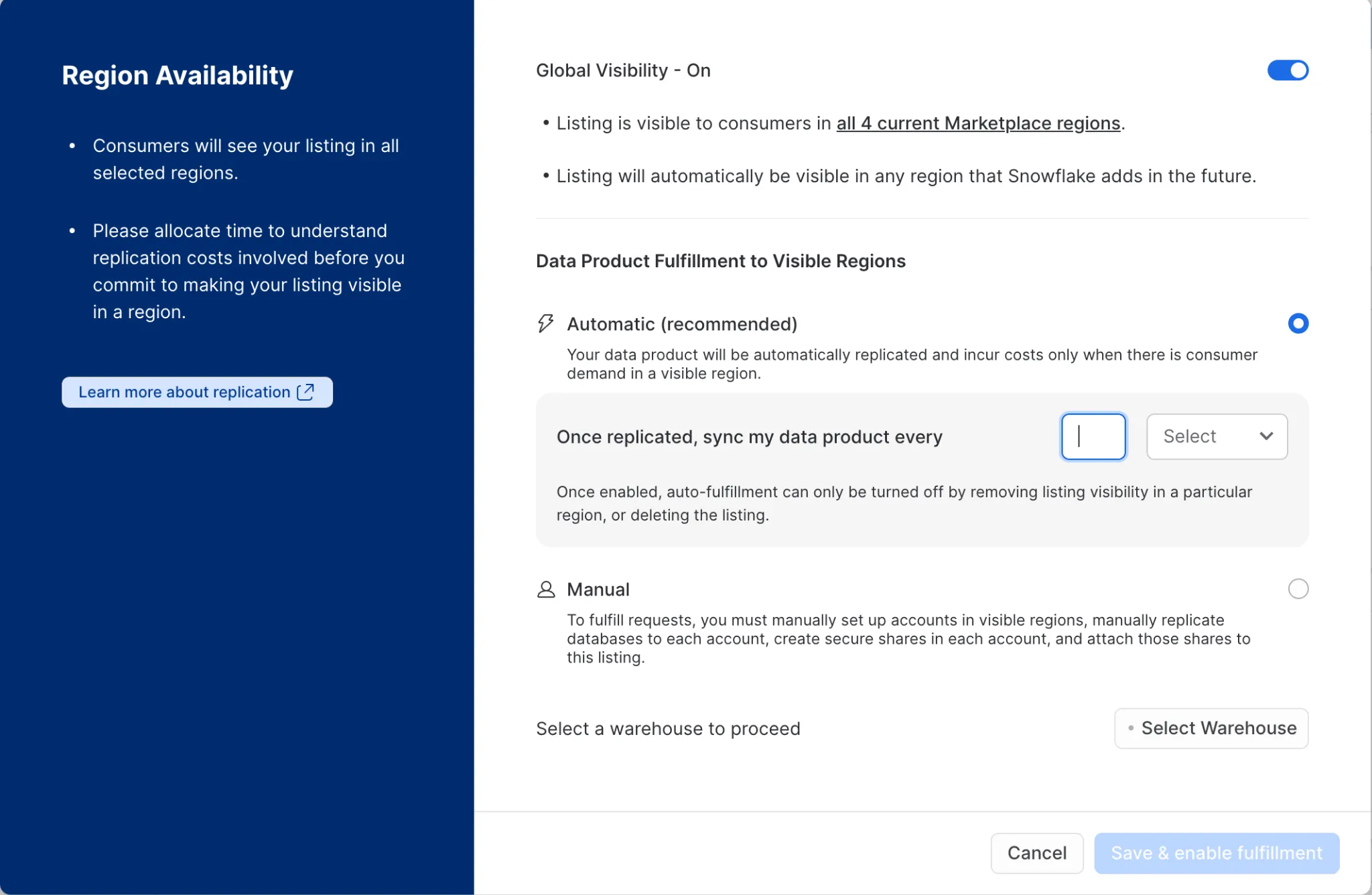
1) Cross-cloud auto-fulfillment
Now generally available. Providers can configure their listings to automatically replicate data across cloud providers (AWS, Azure and Google Cloud) and regions, without manual intervention. You set the replication interval and assign a warehouse for auto-fulfillment. Consumers in any region get access without needing a separate sharing agreement.
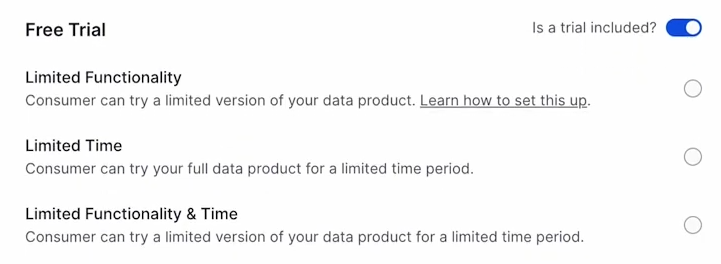
2) Limited trial offerings
Available. Providers can configure time-limited trials for paid listings directly in the Marketplace. Trials are actually required for listings published publicly on the Marketplace. This gives consumers a no-commitment way to evaluate products before buying.
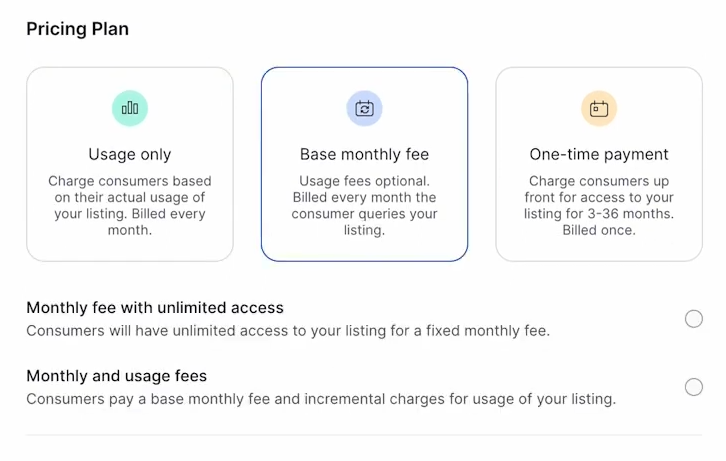
3) Subscription-based pricing
Snowflake has implemented subscription-based pricing for Marketplace products. Providers can now set up recurring billing, making it easier for consumers to manage budgets. This also helps providers establish consistent, predictable revenue streams while improving transparency for end users.
4) Enhanced governance: Trust Center and tag-based masking
Snowflake’s Trust Center includes a Threat Intelligence Scanner for real-time security monitoring. Tag-based data masking lets providers apply fine-grained policies to sensitive fields within shared data, so governance doesn’t get sacrificed for accessibility.
5) Snowflake Native Apps with Snowpark Container Services
Generally available on AWS and in preview on Azure. Providers can distribute containerized applications directly through the Marketplace. These apps run inside the consumer’s own Snowflake environment—the consumer’s data never leaves their governance boundary—while supporting compute pools, external integrations and scalable execution environments.
6) VPS support for Marketplace listings (preview)
Providers can create V2 listings and target consumers in Virtual Private Snowflake deployments using defined region groupings. VPS providers cannot create monetized listings under the current preview constraints.
7) On-demand customer access
Snowflake on-demand customers can now purchase Marketplace listings directly, making it easier for teams that haven’t committed to a capacity contract to still participate.
Save up to 30% on your Snowflake spend in a few minutes!
Conclusion
Snowflake Marketplace is a game-changing platform that’s transforming the way we think about data monetization and collaboration. It provides a safe and efficient way to share, access and use data, letting organizations get the most out of their data assets. If you’re looking to monetize your datasets, application and AI products or want top-notch data products, the Snowflake Marketplace has got you covered. It’s a one-stop hub for both data providers and consumers.
In this article, we have covered the following topics:
- What is a Snowflake Marketplace?
- Features of Snowflake Marketplace
- What is the role of Snowflake Marketplace?
- Getting started with Snowflake Marketplace
- Step-by-step guide to becoming a Snowflake listing provider
- Step-by-step guide to creating and publishing a listing on Snowflake Marketplace
- Step-by-step guide for accessing and navigating the Snowflake Marketplace
- Upcoming features of Snowflake Marketplace
… and so much more!
FAQs
What is Snowflake Marketplace?
Snowflake Marketplace is a platform within the Snowflake Data Cloud for discovering, evaluating and acquiring data products which includes datasets, data services, Snowflake Native Apps and AI products.
What is the role of Snowflake Marketplace?
It facilitates governed data transactions and collaboration between data providers and consumers, without requiring data copies or custom integration pipelines.
How does Snowflake Marketplace work?
It uses Snowflake’s Secure Data Share mechanism. Consumers get governed, read-only access to a provider’s live data. No data is physically moved or duplicated.
What types of data are available?
Finance, healthcare, retail, climate, identity, geospatial and more, alongside Native Apps and AI products.
How do I access Snowflake Marketplace?
Log in to Snowsight and navigate to Data Products > Marketplace in the left navigation menu. Note: the section is labeled “Marketplace,” not “Data Marketplace.”
Do I need a Snowflake account?
Yes. A full Snowflake account is required to browse, trial or purchase Marketplace listings. Trial accounts can share data with specified consumers but can’t publish to the public Marketplace.
What is a Snowflake Native App?
A Snowflake Native App is an application built using Snowflake’s Native App Framework that runs inside the consumer’s own Snowflake environment. The consumer’s data never leaves their governance boundary.
What pricing models are available?
Listings can be free, or paid through flat-fee (monthly or annual) or usage-based pricing. There is no standalone one-time payment model.
Can I trial a dataset before purchasing?
Yes. Providers can configure time-limited trials for paid listings. Trials are required for all paid listings published publicly on the Marketplace.
Can I share Marketplace data with others in my organization?
Yes, provided you have the necessary permissions and comply with the listing’s terms of use.
What permissions are required to purchase a listing?
At minimum: the ACCOUNTADMIN role or a role with CREATE DATABASE, IMPORT SHARE and PURCHASE DATA EXCHANGE LISTING privileges. Your org admin must also have accepted the Provider and Consumer Terms.
Are there geographic restrictions on data availability?
Some listings have geographic restrictions based on provider policies or regulatory compliance requirements. Cross-region auto-fulfillment can address availability gaps for listings that support it.
What tools can I use to query Marketplace data?
Any tool that connects to Snowflake—Snowsight’s native worksheet interface, BI platforms like Tableau or Power BI, or any SQL client. Snowflake also provides example SQL queries on each listing page.
Is Snowflake Marketplace integrated with other Snowflake features?
Yes. Marketplace data lives in your Snowflake environment like any other database object. Governance policies, query acceleration, data sharing and Snowpark all work with Marketplace data.
Can I publish my datasets or applications on Snowflake Marketplace?
Yes. If you have a full Snowflake account, the required privileges and meet Snowflake’s legal requirements, you can become a provider. Public listings require a provider profile and go through Snowflake’s approval process before going live.
Pramit Marattha
Pramit Marattha is a technical content writer and strategist with 5+ years of experience covering AI, data engineering, data cloud platforms and open source technologies. He turns complex technical concepts into clear, useful content for engineers and developers.







